Local-first desktop orchestrator
Route coding tasks to the agents you already pay for.
Frontier Proxy is a desktop app that sends work to Codex CLI, Claude Code, GitHub Copilot CLI, OpenCode, and Ollama models already installed and signed in on your machine. It picks the right one, fails over when a plan runs out, and keeps every conversation in one place.
- No API keys for coding agents
- No telemetry
- macOS · Windows · Linux
- MIT licensed
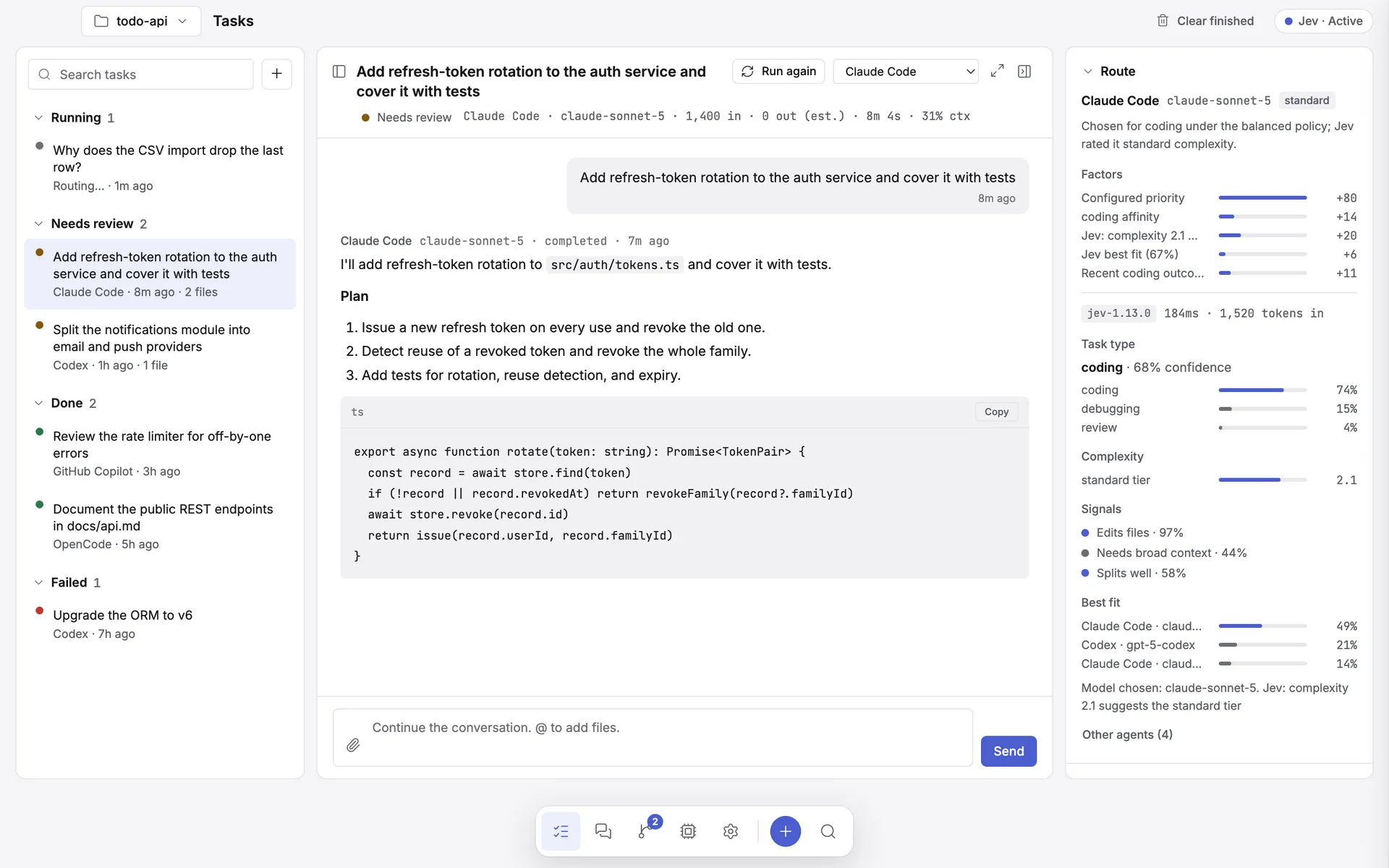
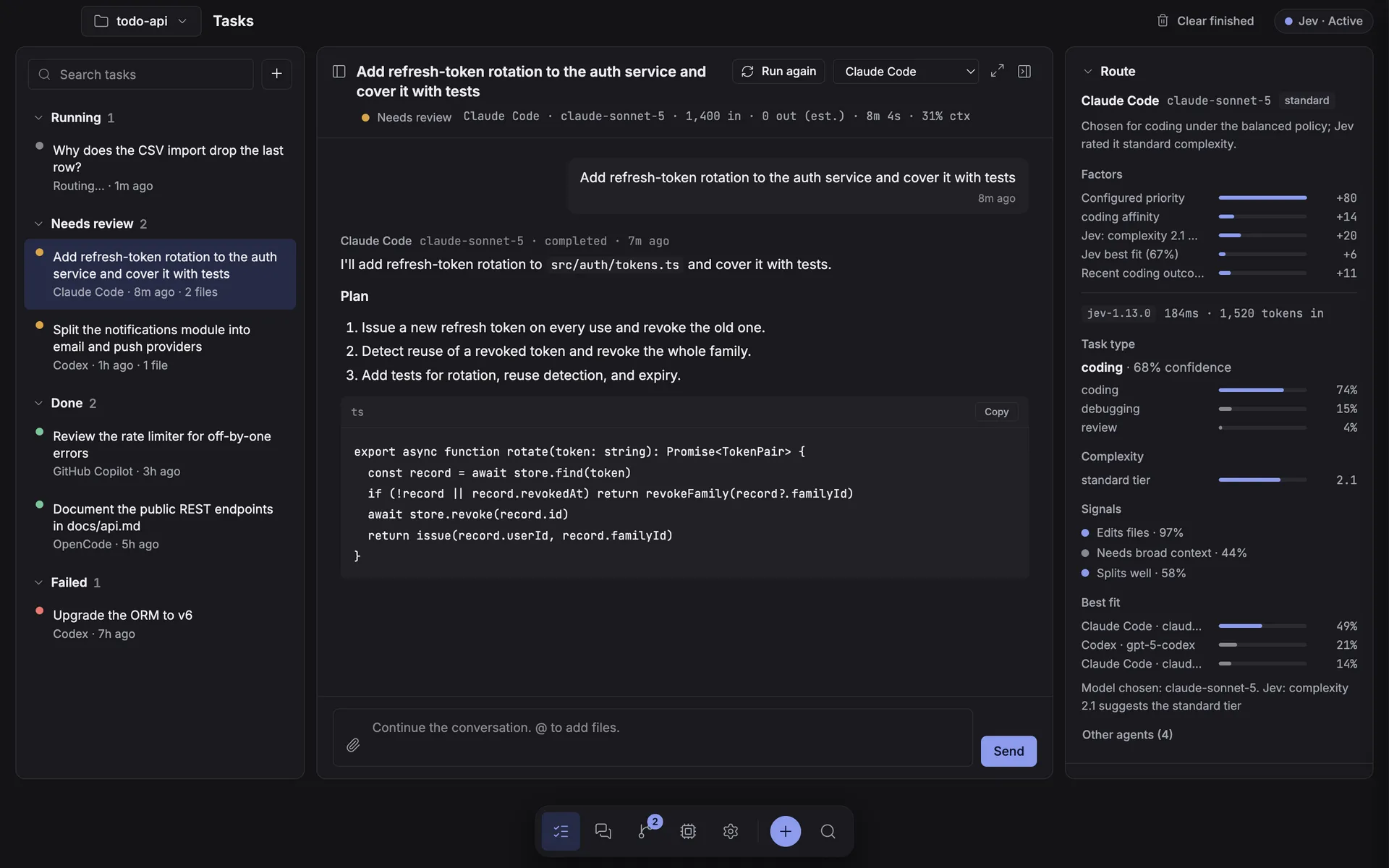
Why it exists
You are paying for several coding agents. Use all of them.
Each CLI is good at different work and each comes with its own plan limit. Frontier Proxy is the layer that decides which one takes a task, keeps working when one hits its ceiling, and gives you a single queue, history, and review surface across all of them.
Your subscriptions, not an API bill
Frontier never calls a model API on a coding agent's behalf and holds no execution keys of its own. It spawns the CLI you already logged into, and that CLI reuses its own session. The one narrow, opt-in exception is the Jev routing advisor — off by default, and it never runs an agent.
Work keeps moving
Hit a five-hour limit mid-afternoon and the queue does not stop. Frontier detects the quota error, cools that agent down, and hands the task to the next eligible one.
Parallel, but isolated
Agents that run at the same time get their own git worktree branch. They cannot overwrite each other, and you review the diff before anything lands on your branch.
How it works
Four steps, all on your machine.
-
Describe the task
Prompt, working directory, routing mode. Attach images, reference files with @, or pin a specific agent and model.
-
Frontier picks an agent
The task is classified and eligible providers are ranked. Anything rate-limited, busy, over budget, or cooling down is skipped.
-
The CLI runs locally
The agent is spawned directly — no shell, prompt over stdin — reusing the login session already on your machine.
-
You watch and follow up
Output streams live with tool calls and file changes. Reply in-thread, retry, cancel, or hand the conversation to another agent.
Inside the app
A calm workspace, not a chat window.
Five sections, one dock. See the full walkthrough in the docs.
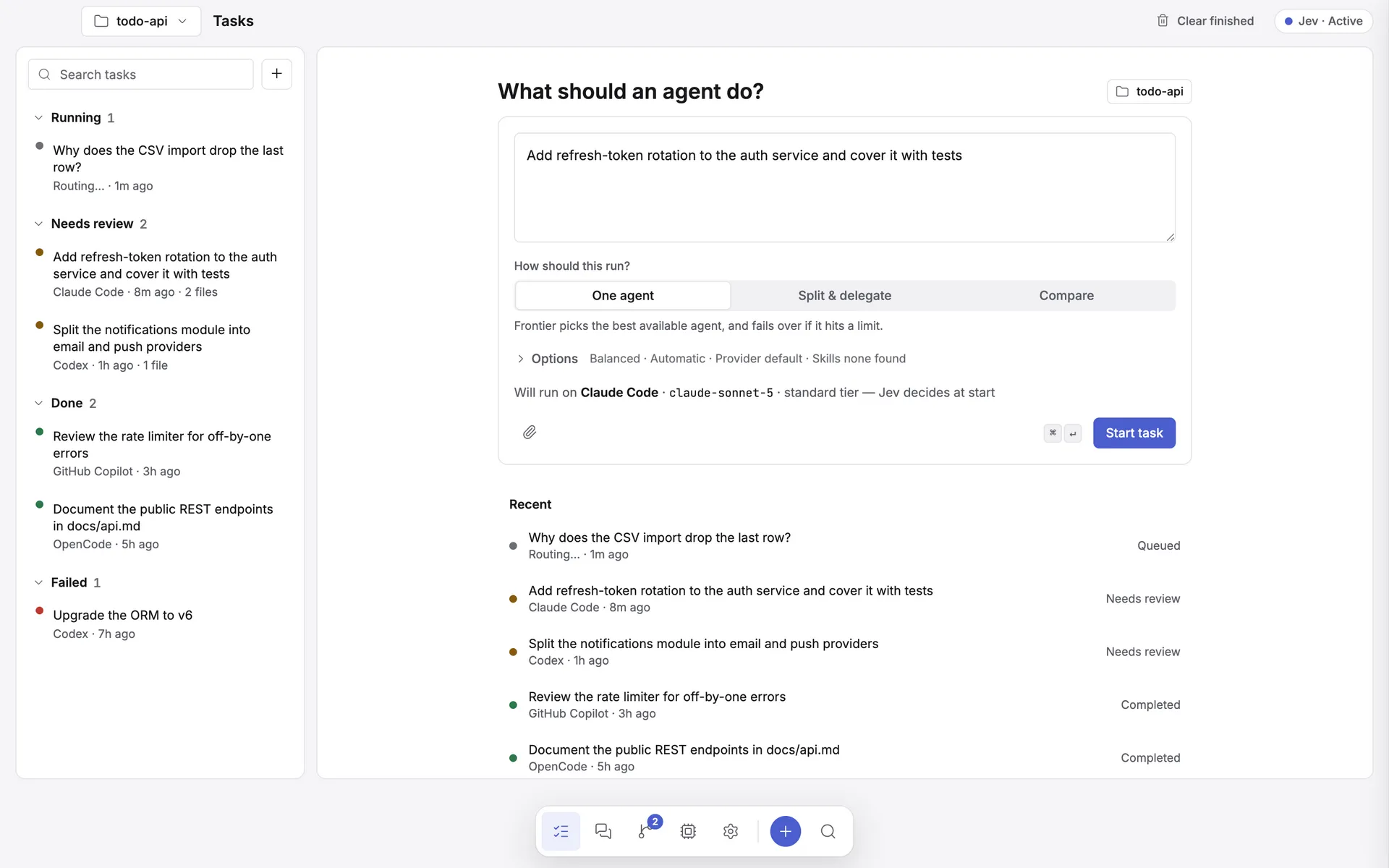
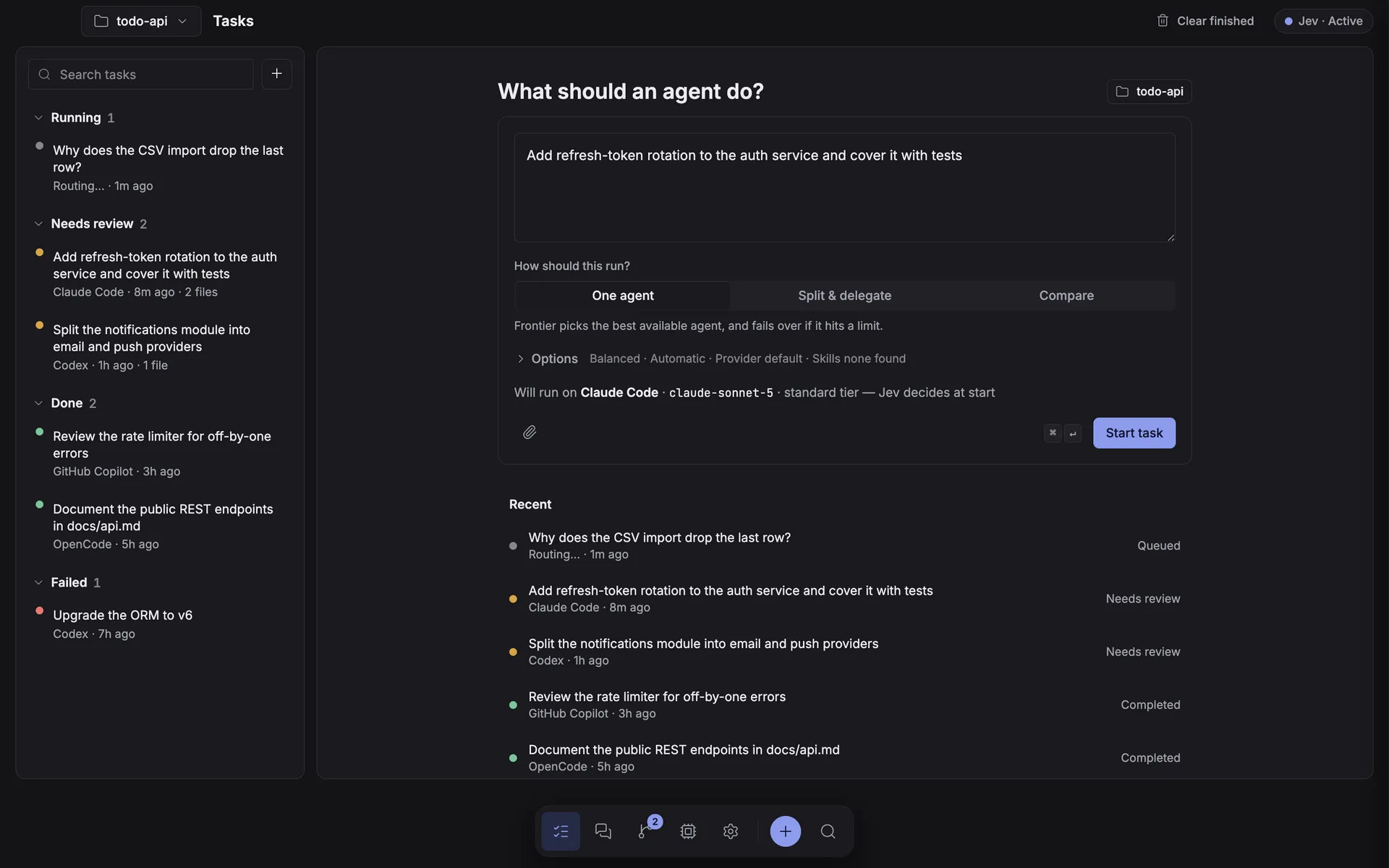
One composer, one place to start
- Describe a task and read a one-line route preview — agent · model · tier — before anything runs.
- Run it on one agent, split it across several, or compare agents head to head from the same box.
- The project switcher in the header scopes Tasks, Workspaces, and Review to one repository at a time.
Three panes, not a modal
- Work queue, conversation, and a collapsible route/files/activity inspector — one screen, nothing to double-click open.
- The route inspector shows Jev's reasoning: task-type probabilities, complexity mapped to a tier, and the best-fit call.
- Changed files open in an overlay with syntax highlighting and a real Git diff.
A room for your agents
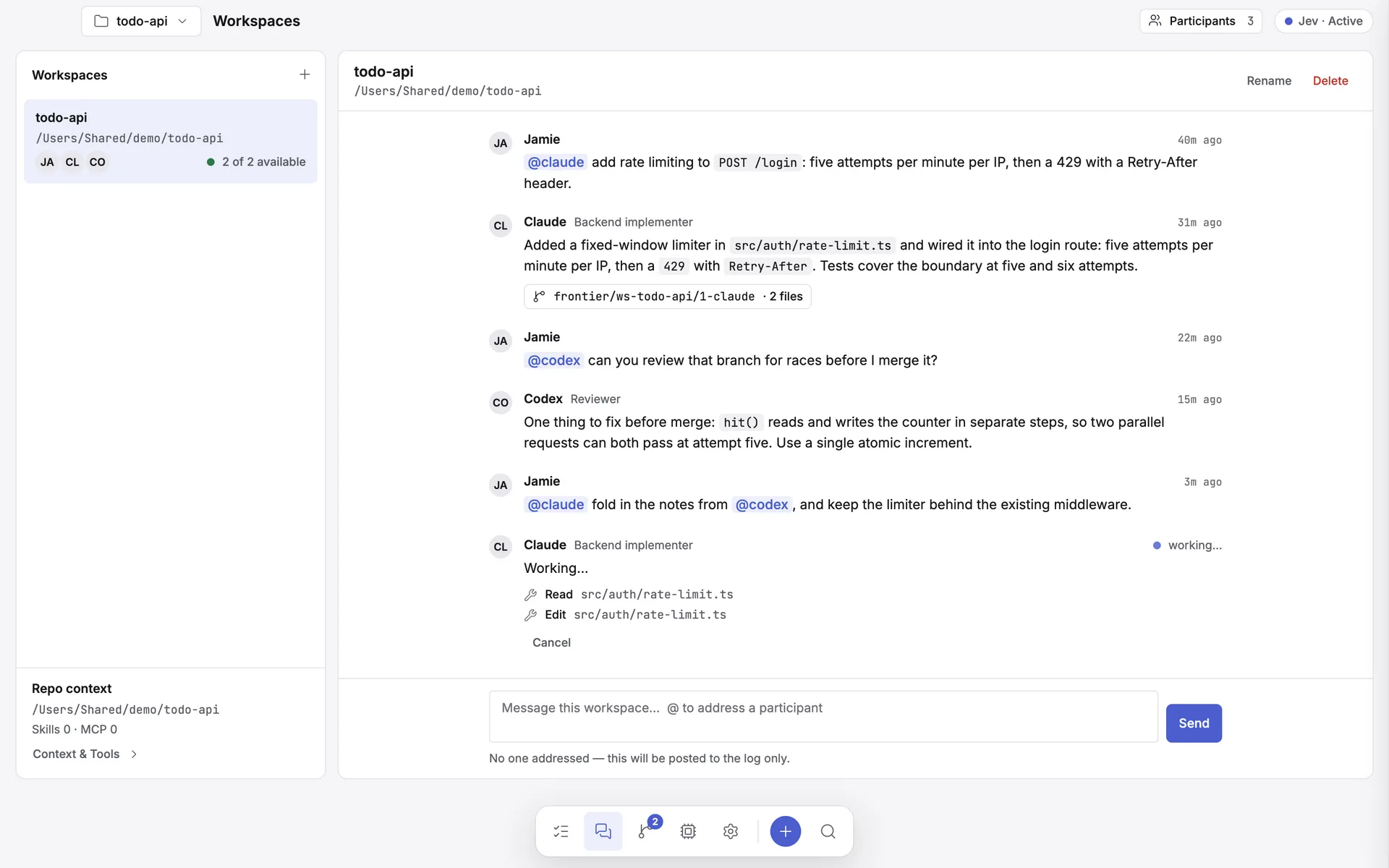
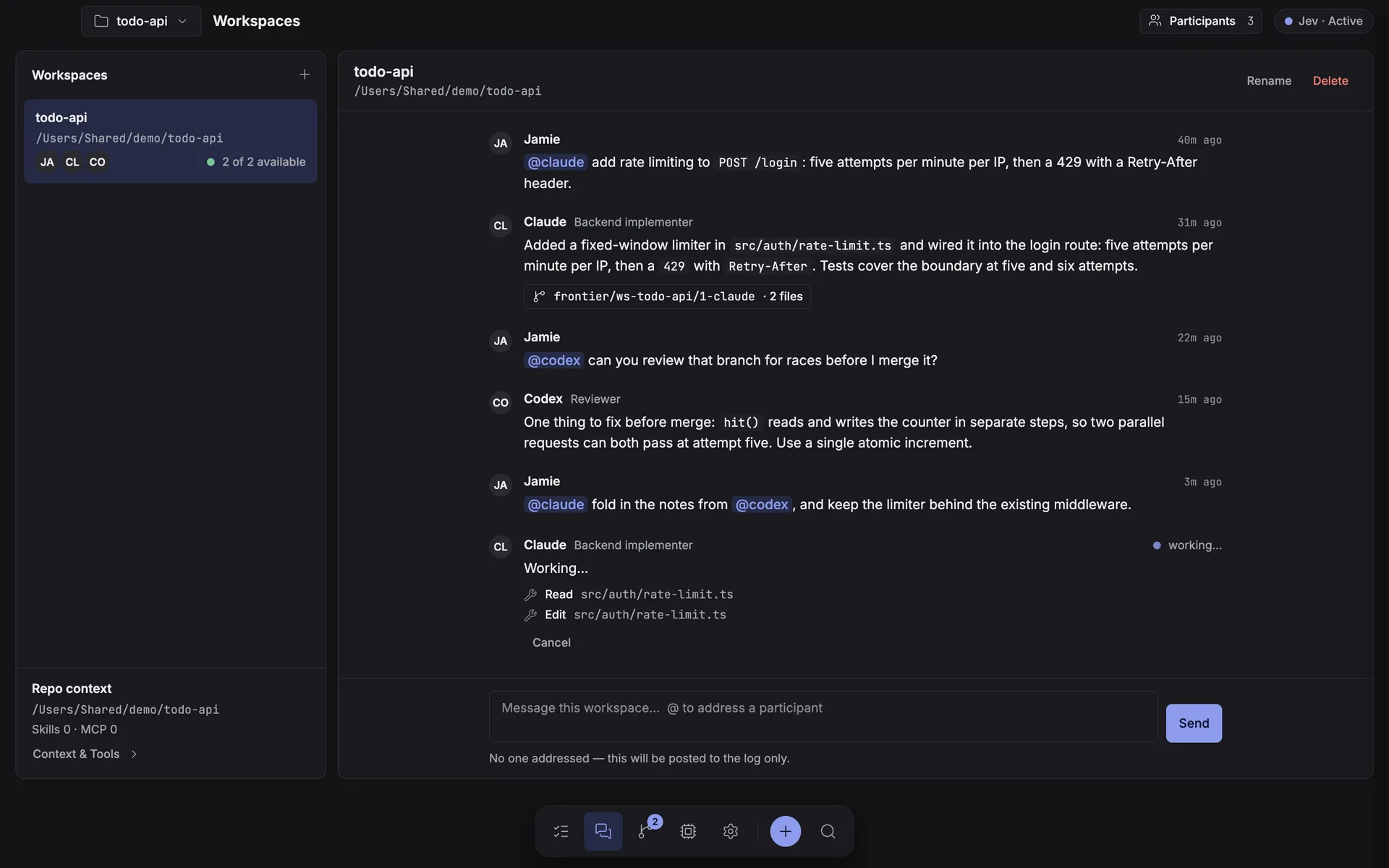
- One long-lived thread per repo. Only the agents you @mention reply, in parallel, and never each other.
- A participant that writes files works on its own isolated branch, linked straight into Review.
- A busy or unavailable agent is named in the thread, never silently skipped.
Every CLI, one table
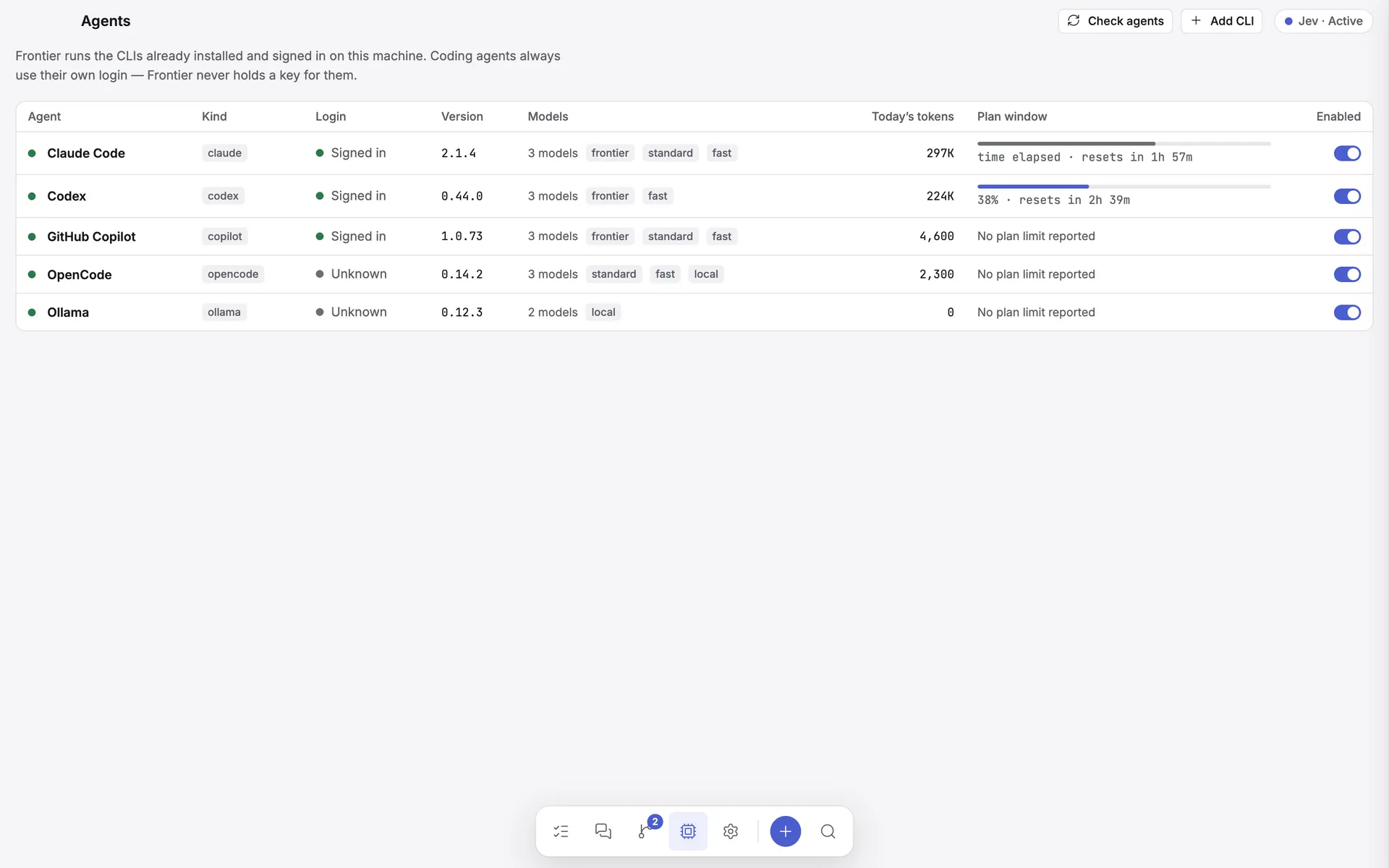
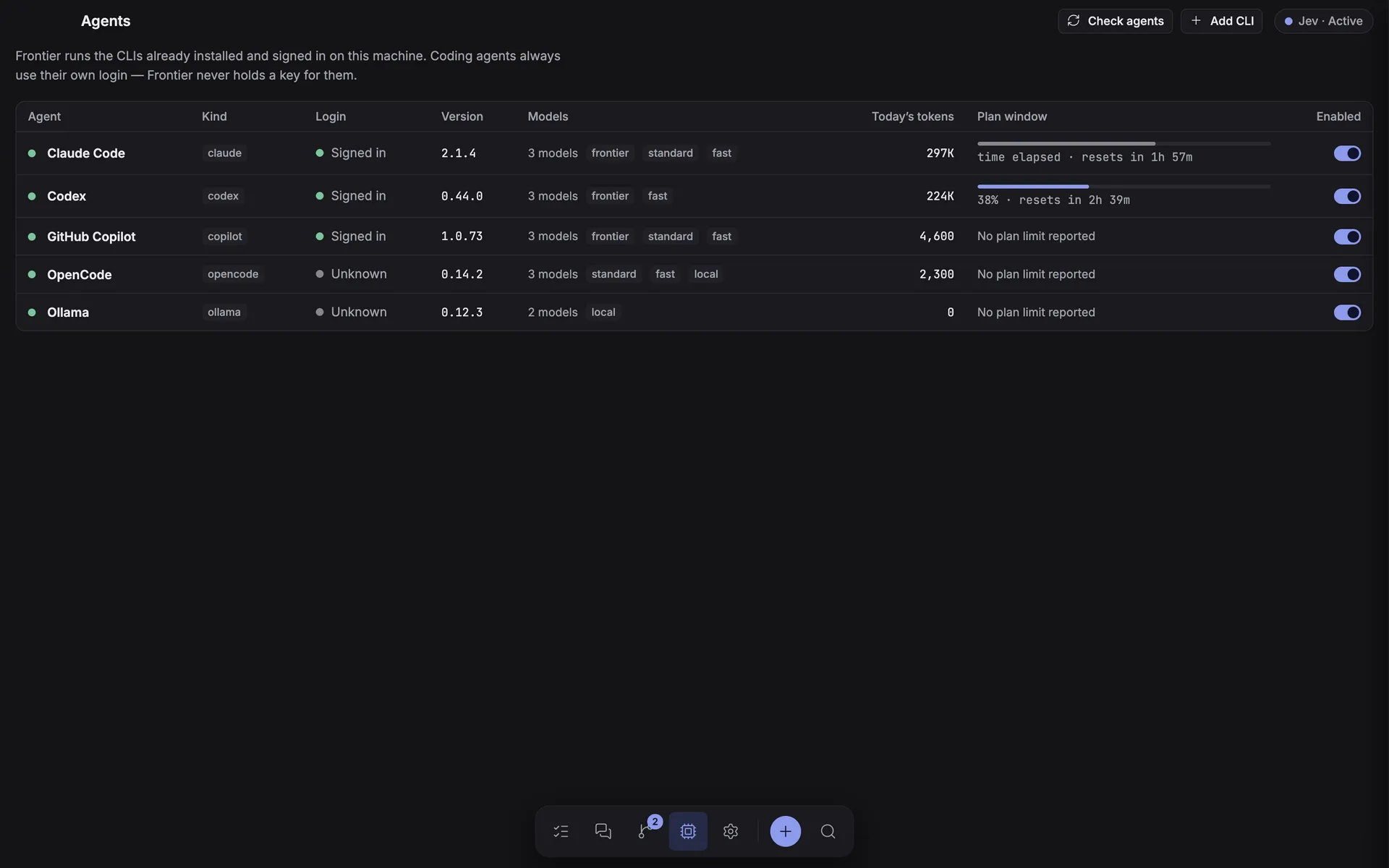
- Login state, version, models by tier, and today's plan windows for every configured agent.
- A row opens a side sheet with the full edit form instead of a separate settings page.
- "CLI found" is not "signed in" — the Login column reads each CLI's own session, and the sheet is where you fix a logged-out one.
Review before you merge
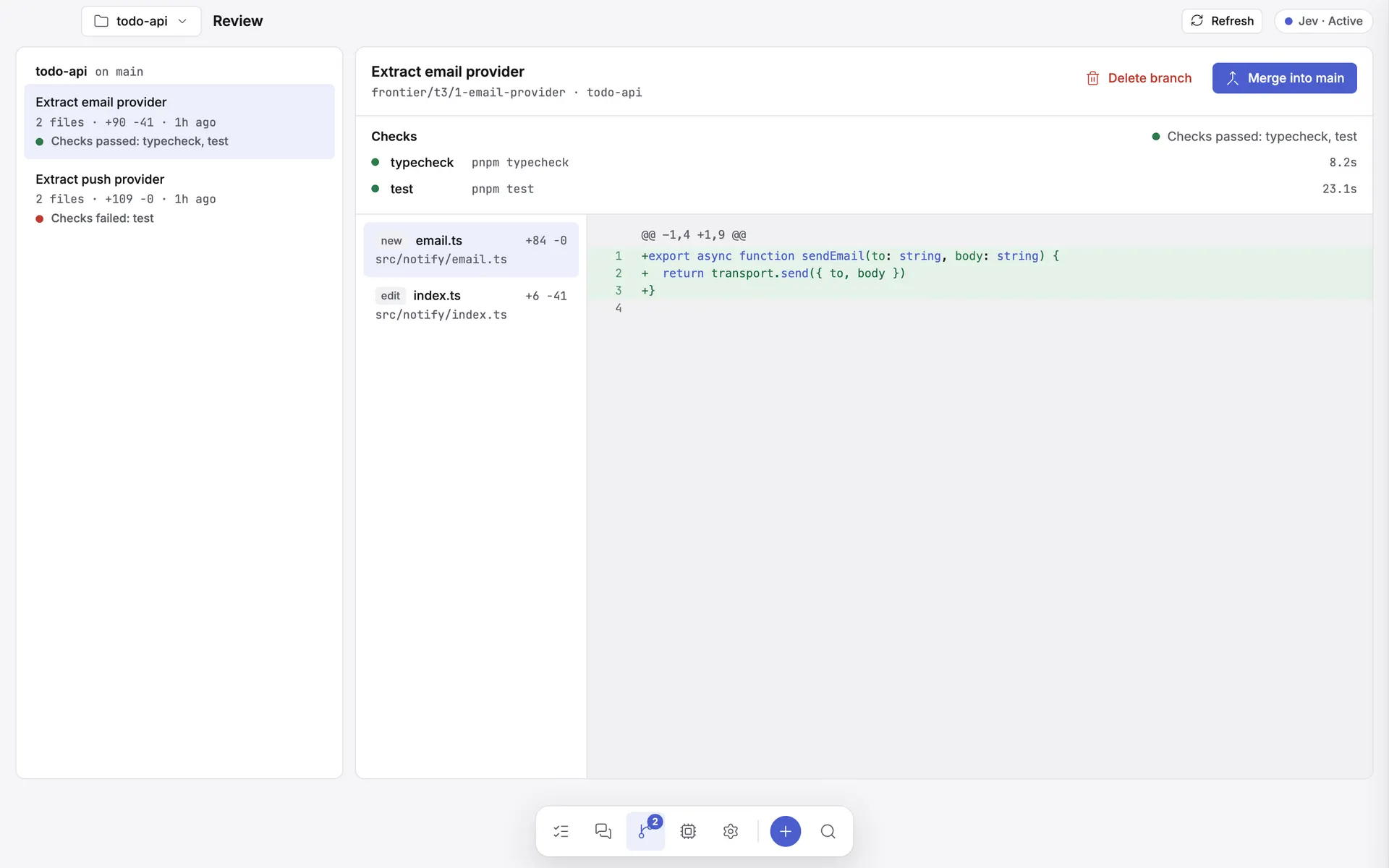
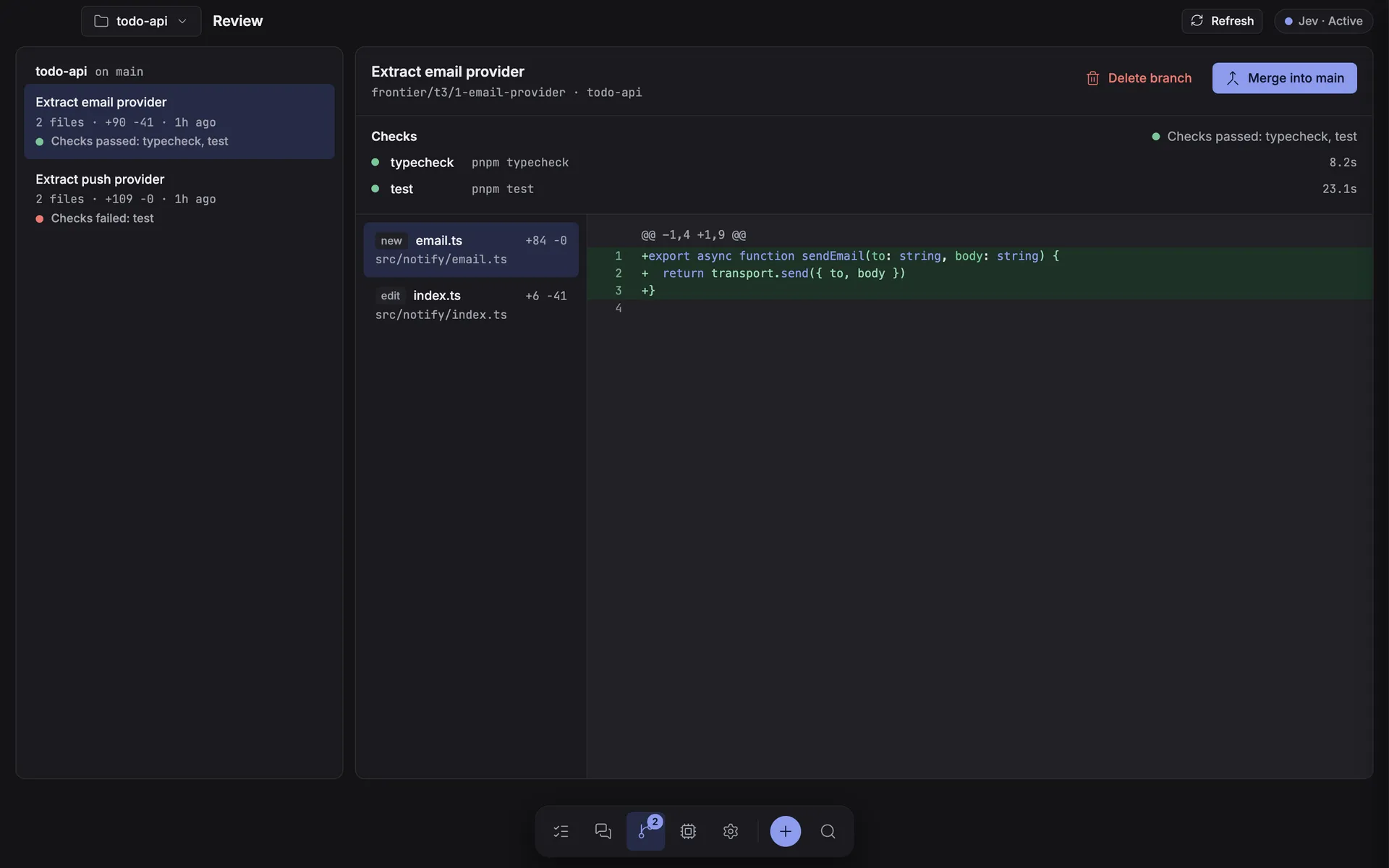
- Every frontier/* branch a delegated, benched, or workspace run left behind, listed per repository.
- Each branch carries the verification report from the project's own checks — never a green tick it didn't earn.
- Merge and delete both sit behind an explicit confirmation dialog.
Make it yours, in one place
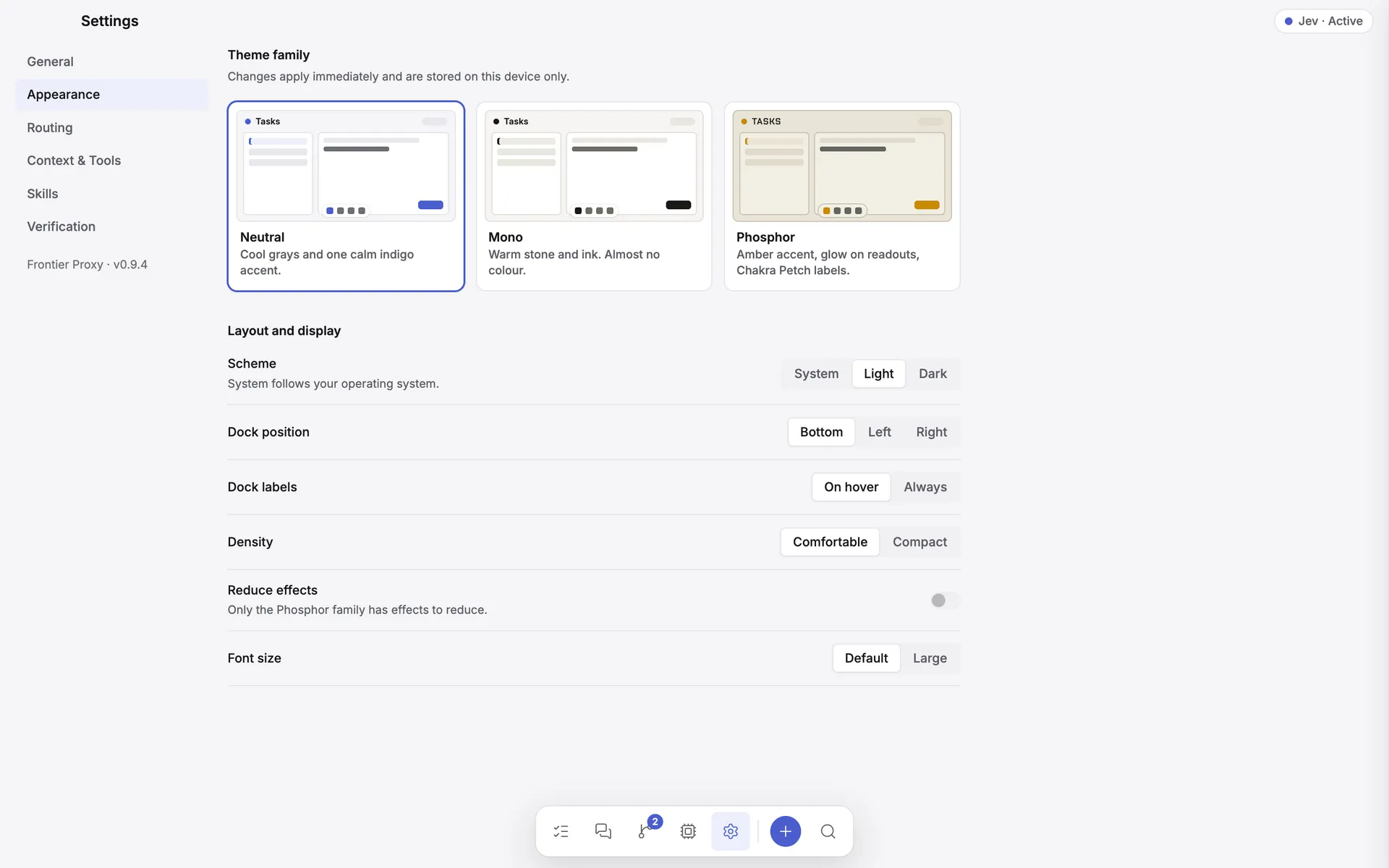
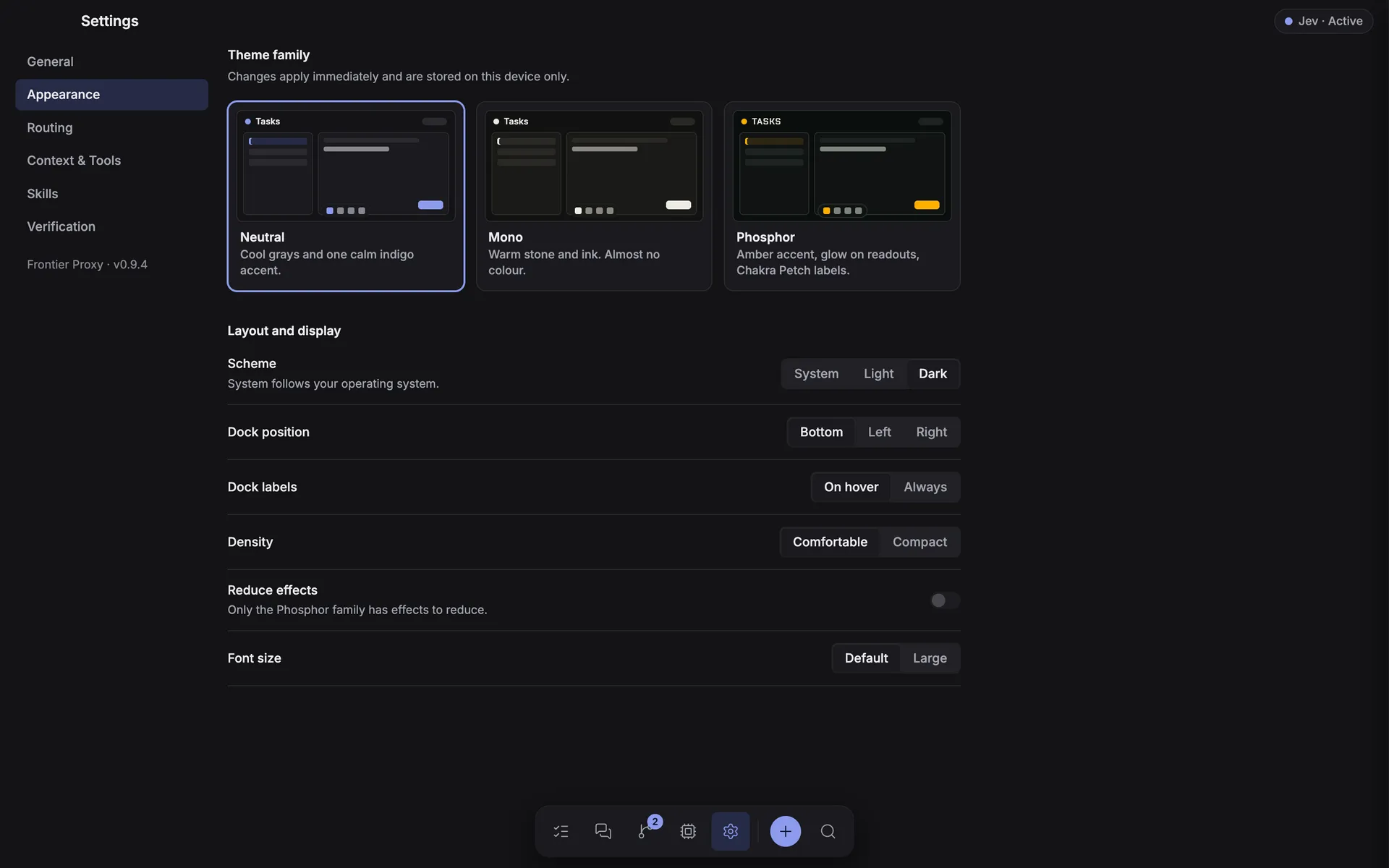
- Three theme families, each in light and dark — Neutral is the default — plus dock position, density, and text size, applied live.
- The Jev advisor, Context & Tools, Skills, and Verification are tabs here, next to General.
- The privacy chip in the header names exactly what leaves your machine whenever an advisor is on.
Features
Everything the desktop app does.
Each card links to the documentation for that part of the app.
Routes to the right agent — and model
Every task is classified — coding, debugging, review, planning, docs — then scored against provider affinity, your priorities, policy, current load, and what actually worked before. Pick Balanced, Quality first, or Token saver.
Learn more →
An optional second opinion on routing
Jev, an auxiliary advisor, can score task type, complexity, and best-fit model — off by default, shadow to watch it without changing anything, or active to let it influence the route.
Learn more →
Fails over on quota, not on bugs
Rate limits, overloads, and logged-out CLIs cool that provider down and move the work to the next eligible one. A genuine agent failure stops the task, because replaying half-finished edits is unsafe.
Learn more →
One MCP profile, every CLI
Configure MCP servers, tool allow/deny lists, extra context dirs, and a shared system prompt once. Frontier translates them into each CLI's native flags at spawn time — no hand-edited agent configs.
Learn more →
Split work across agents
Ask for a plan and Frontier delegates the subtasks in parallel, each in its own git worktree branch, then synthesizes a report. Your working tree is never a shared scratchpad.
Learn more →
Race agents head to head
Send one identical prompt to several agents at once, each isolated on its own branch, and compare what they actually produced. No failover — a lane that fails is a result about that agent.
Learn more →
A room for your agents
Workspaces give a repo one long-lived thread with named participants you address by @handle. Only who you mention replies, they answer in parallel, and every writing participant lands on its own review branch.
Learn more →
Review before you merge
Delegated and benched runs leave frontier/* branches behind. The Review inbox lists them per repo with diffs and line counts, and merges or deletes them behind a confirmation.
Learn more →
Live work log, not a spinner
Streamed output shows the model actually in use, each tool call and thinking step, and the files being written — plus a task-scoped context meter that reads real token usage.
Learn more →
Conversations, not one-shots
Every task is multi-turn. Claude Code resumes its real CLI session; other agents receive the attributed transcript. Switch the next provider mid-thread and the history follows.
Learn more →
Usage you can actually see
Per-provider plan windows, reset countdowns, tracked tokens, and cooldown state — read from what each CLI reports, never invented. Optional daily budgets give you a hard stop.
Learn more →
Supported agents
Bring the CLIs you already use.
Frontier detects each CLI, reports its version, and shows CLI found when the binary is located. Authentication stays with the CLI's own login, which the Agents table reads from disk, read-only.
| Agent | How Frontier runs it | Good for |
|---|---|---|
| Codex CLI | codex exec --json --sandbox workspace-write |
Coding, debugging, long refactors |
| Claude Code | claude -p --output-format stream-json --permission-mode acceptEdits |
Coding, review, planning, resumable sessions |
| GitHub Copilot CLI | copilot -s --no-ask-user --allow-tool=… |
Coding, review, GitHub-aware work |
| OpenCode | opencode run --format json --dir <cwd> |
Coding, review, any model OpenCode is signed in to, resumable sessions |
| Codex + Ollama | codex exec --oss --local-provider ollama |
Coding with local inference |
| Ollama | ollama run <model> |
Planning, review, docs — no file tools |
| Any other CLI | your-agent {prompt} {cwd} {model} |
Custom local agents |
Optional · off by default
Jev, a second opinion on routing.
Jev (TypeSafe's System One model) is an auxiliary service, not a coding agent — it never generates text and never runs on your behalf. Turning it on is the one narrow, opt-in exception to "no API keys," and it stays off unless you enable it.
Off
The default. Routing scores exactly as it would with no advisor at all — nothing leaves this machine for routing purposes.
Shadow
Jev is asked and its pick is recorded next to the real route, visible in the calibration view — but it changes nothing about what runs.
Active
Its answers become bounded, labelled routing factors that can influence the pick — never overriding eligibility or an explicit choice.
A confidence threshold ignores low-confidence answers, and a hard 3-second deadline means a slow or failed request never blocks the queue — the task just falls back to Frontier's own heuristic classifier. Read the full mechanics, per-subtask advice, and the calibration view in routing & the Jev advisor, or TypeSafe's own documentation.
Download
Get Frontier Proxy v0.9.4
No build step required. Download, run, and point it at a folder.
| Platform | Format | File | |
|---|---|---|---|
| macOS | Zip archive | Frontier.Proxy-0.9.4-mac.zip |
Download · 118.0 MB |
| Disk image | Frontier.Proxy-0.9.4.dmg |
Download · 118.5 MB | |
| Windows | Portable | Frontier.Proxy.0.9.4.exe |
Download · 95.0 MB |
| Installer | Frontier.Proxy.Setup.0.9.4.exe |
Download · 95.2 MB | |
| Linux | Debian / Ubuntu | frontier-proxy_0.9.4_amd64.deb |
Download · 93.7 MB |
| AppImage | Frontier.Proxy-0.9.4.AppImage |
Download · 119.2 MB |
Links point at the assets attached to v0.9.4. Every version stays available on the releases page.
Before the first run
You need at least one supported CLI installed and signed in. Frontier does not install agents for you.
Provider setup →Unsigned builds
Builds are x64 and unsigned. On macOS open it the first time with Control-click → Open; on Windows choose More info → Run anyway.
Install guide →Built to be inspected.
State lives in a single JSON file in your user data directory. Prompts go over stdin, never through a shell. The renderer has no Node access. Read every line of it.