Docs · Provider setup
Provider setup
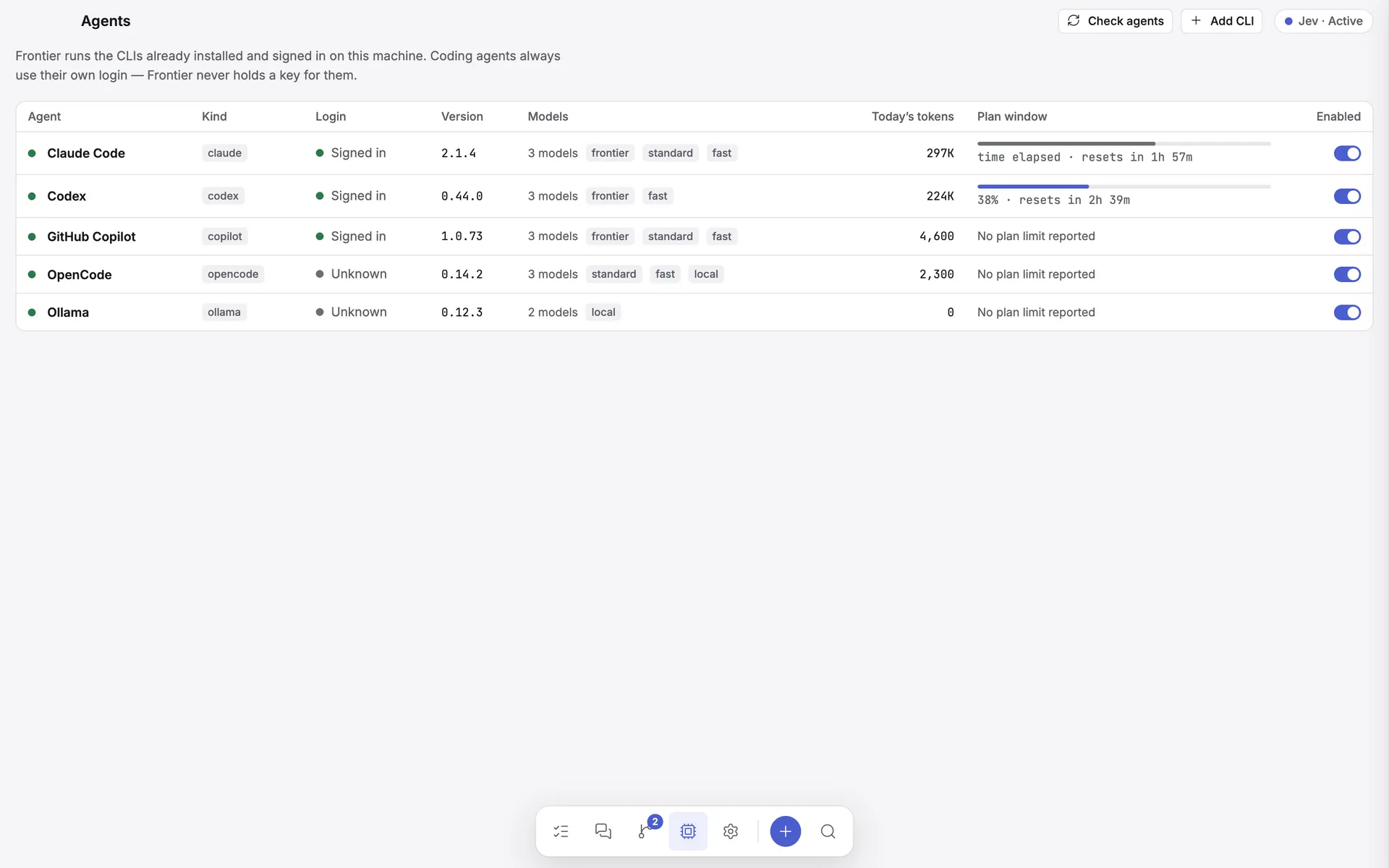
Register the CLI agents on your machine, confirm Frontier can find them, and understand what each one is allowed to do.
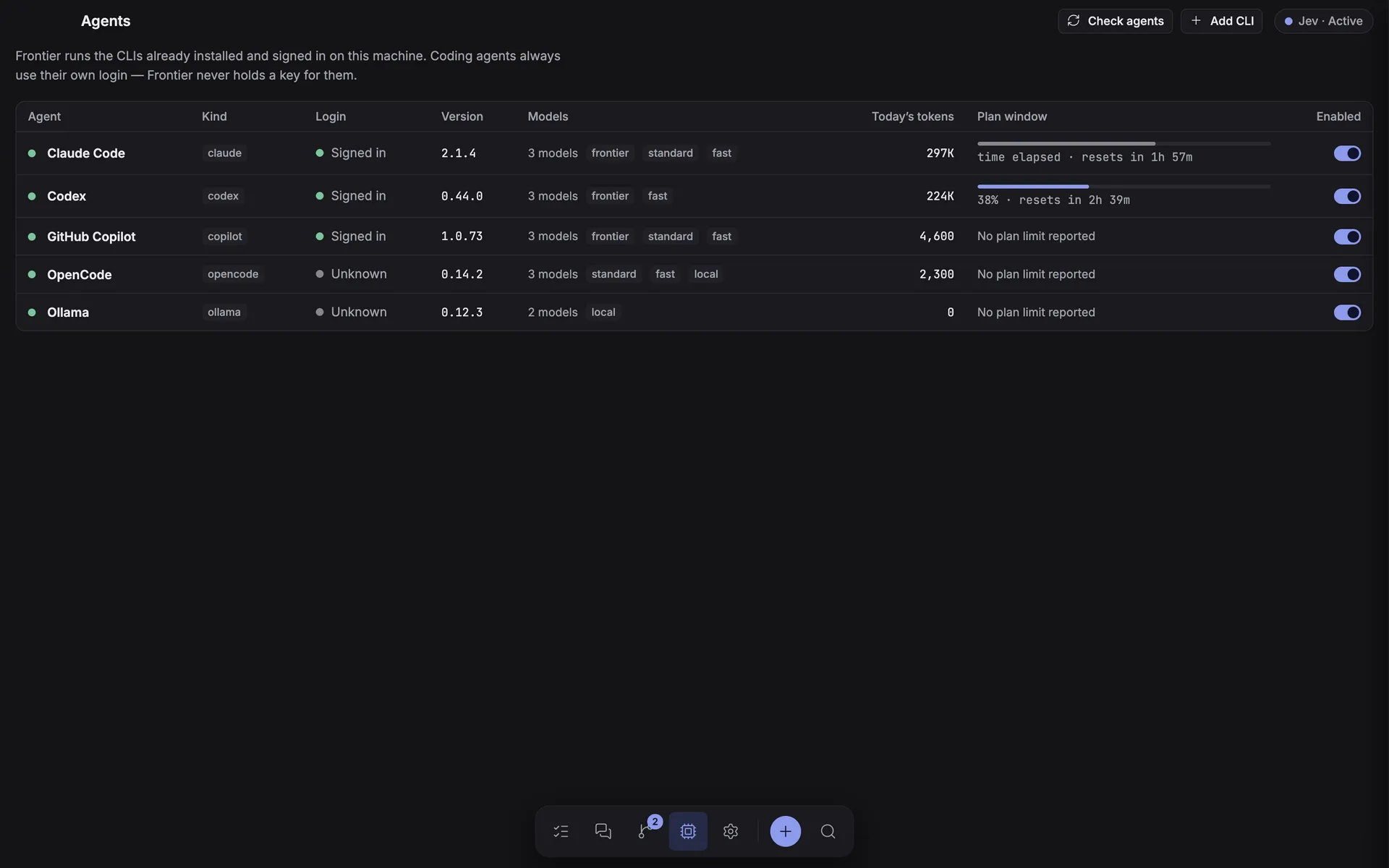
The Agents screen
-
Do not re-add the built-in agents
Codex, Claude Code, GitHub Copilot, and OpenCode are already registered. Leave their executable fields as
codex,claude,copilot, andopencode, turn on the ones you use, and choose Check agents. -
Resolve anything that says CLI not detected
Run
command -v codex(orclaude/copilot) in a terminal and paste the absolute path into the Executable field of that agent's sheet (click its row). "Not detected" is a PATH problem, not a permissions problem. -
Configure the optional fields
Model, tracked usage limit, and context-window size, then Save agent. A context limit reported by the CLI always takes precedence over the configured fallback.
-
Add other agents only if you have them
Use Add CLI for any other locally installed agent executable.
Codex CLI
Install and sign in to Codex CLI, then leave the executable as codex. Frontier runs:
codex exec --json --sandbox workspace-write --skip-git-repo-check -C <workspace> -
The prompt is written to stdin. Image turns add Codex's native --image <path> arguments, and
@ references are resolved to validated paths inside the selected workspace. Your existing Codex login
and local configuration are reused.
Claude Code
Install and sign in to Claude Code, then leave the executable as claude. Frontier runs it in print/streaming mode:
claude -p --output-format stream-json --permission-mode acceptEdits …
Claude Code is the one agent whose sessions Frontier can resume: the session id from its
system/init event is stored on the task, so follow-up turns continue the real CLI conversation with
--resume rather than replaying a transcript. Extra CLI flags can be configured in the agent's sheet.
GitHub Copilot CLI
Install the current standalone Copilot CLI. This integration does not use the retired
gh copilot extension.
brew install --cask copilot-cli
copilot loginnpm install -g @github/copilot
copilot login
Leave the executable as copilot, turn it on, and choose Check agents. Frontier sends
prompts through stdin in Copilot's non-interactive silent mode. By default it grants file writes plus common Git,
package, and build commands — it does not grant --allow-all. Add or replace
--allow-tool rules in Extra arguments if a project needs different tools.
The agent's sheet also extends Copilot's built-in GitHub MCP server with selected toolsets or individual tools. Enabling every GitHub MCP tool is available as an explicit override; otherwise Copilot keeps its default CLI subset plus your selections.
OpenCode
Install OpenCode and run opencode auth login for the model providers
you use. Frontier reuses OpenCode's own credential store; it never asks for a key.
curl -fsSL https://opencode.ai/install | bash
opencode auth login
Frontier runs opencode run --format json --dir <cwd> with the prompt on stdin, streams tool calls,
per-step token usage and cost, and resumes follow-ups in the same OpenCode session. Models are OpenCode's
provider/model ids, discovered from opencode models.
Open-source models
Start Ollama and pull a coding model:
ollama pull qwen3-coder
ollama serve| Provider | What it runs | Capability |
|---|---|---|
| Codex + Ollama | codex exec --oss --local-provider ollama |
Codex's agent harness with local inference — full coding tasks. |
| Ollama | ollama run <model> |
The raw model runner has no file-editing tools, so it is deliberately limited to planning, review, documentation, and general tasks. |
Change the configured model to one installed on your Ollama instance.
Other local agent CLIs
Choose Add CLI and configure the executable and its argument list; quoted arguments are
supported. The prompt goes over stdin by default. Use {prompt} in a single argument only when a
tool requires the prompt as an argv value, plus {cwd} and {model} for the working
directory and configured model. Custom processes are launched directly, with no intermediary shell.
Models
Frontier enumerates what each provider can run. Ollama and Codex + Ollama get real discovery from
ollama list, OpenCode from opencode models; Claude, Codex, and Copilot have no headless "list models" command, so Frontier ships a
curated set of sensible defaults. The provider's own configured model is always folded in.
The composer's Model option is a dropdown scoped to the chosen agent, with Provider default and Custom model… bracketing the list.