Docs · Orchestration & bench
Orchestration & bench
Split one task across several agents in isolated git worktrees, race agents head to head on the same prompt, and review the branches they leave behind.
Split & delegate
Create a task with orchestration enabled and Frontier runs it as three stages instead of one conversation. The stage bar and per-subtask cards in the UI track it live.
-
Plan
The top-ranked agent is asked to emit a JSON list of subtasks. Frontier extracts that list even when it comes wrapped in prose or a code fence. An empty plan simply falls back to running the whole task as one subtask.
-
Delegate
Providers are ranked per subtask type and run with bounded concurrency, each subtask streaming its output live. A lane whose candidate agents are all busy waits for a slot rather than failing — with one installed CLI at the default concurrency of 1, the second lane would otherwise abandon its subtask the instant the first started. Only a subtask that no idle agent could ever take is a real failure.
-
Synthesize
Every subtask's output is fed to an agent that writes the final report. This stage is explicitly read-only: the synthesizer is a full agent with file tools running in your working directory, and without that instruction it sees the subtasks' files as "missing" — they are committed on their own branches — and redoes all the work in your main tree.
Worktree isolation
When the working directory is a git repository, each subtask gets its own git worktree off HEAD on a
branch named frontier/<taskId>/<n>-<slug>. The subtask runs there, its changes are
committed to that branch, and the worktree is torn down — leaving the branch behind for you to review and merge.
A non-git directory falls back to the shared folder.
Head-to-head comparison
Pick two or more agents for a single task and Frontier sends the identical prompt to all of them
at once, each in its own worktree branch (frontier/<taskId>/bench-<agent>).
- No failover, deliberately. A lane that fails is a result about that agent, not something to reroute.
- Activity is attributed. Events are prefixed with the agent name, because the lanes stream concurrently.
- The scoreboard is factual. The summary is built from what actually happened in each lane — it is not another model call grading the results.
- No follow-up composer. A comparison has no single conversation to continue.
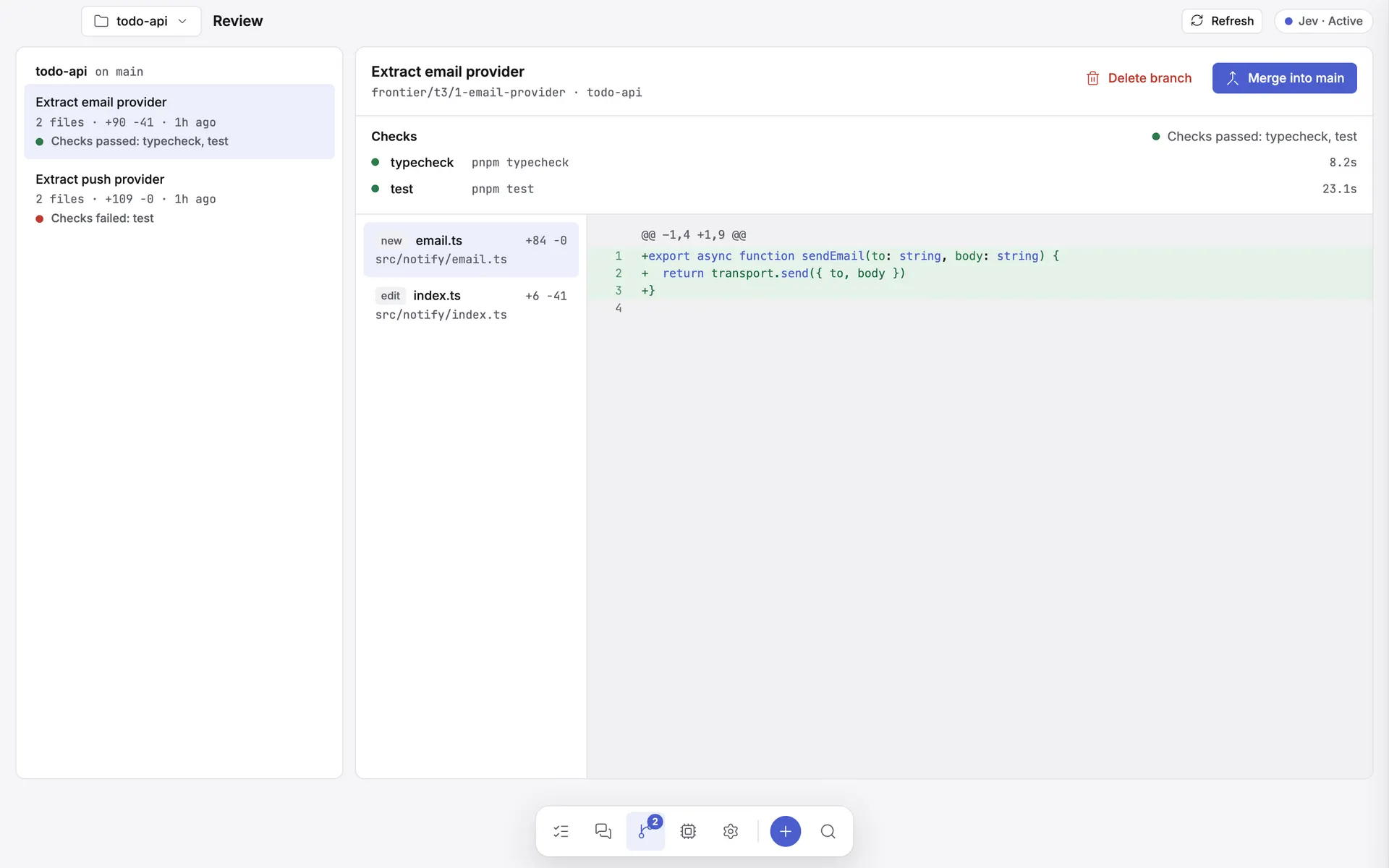
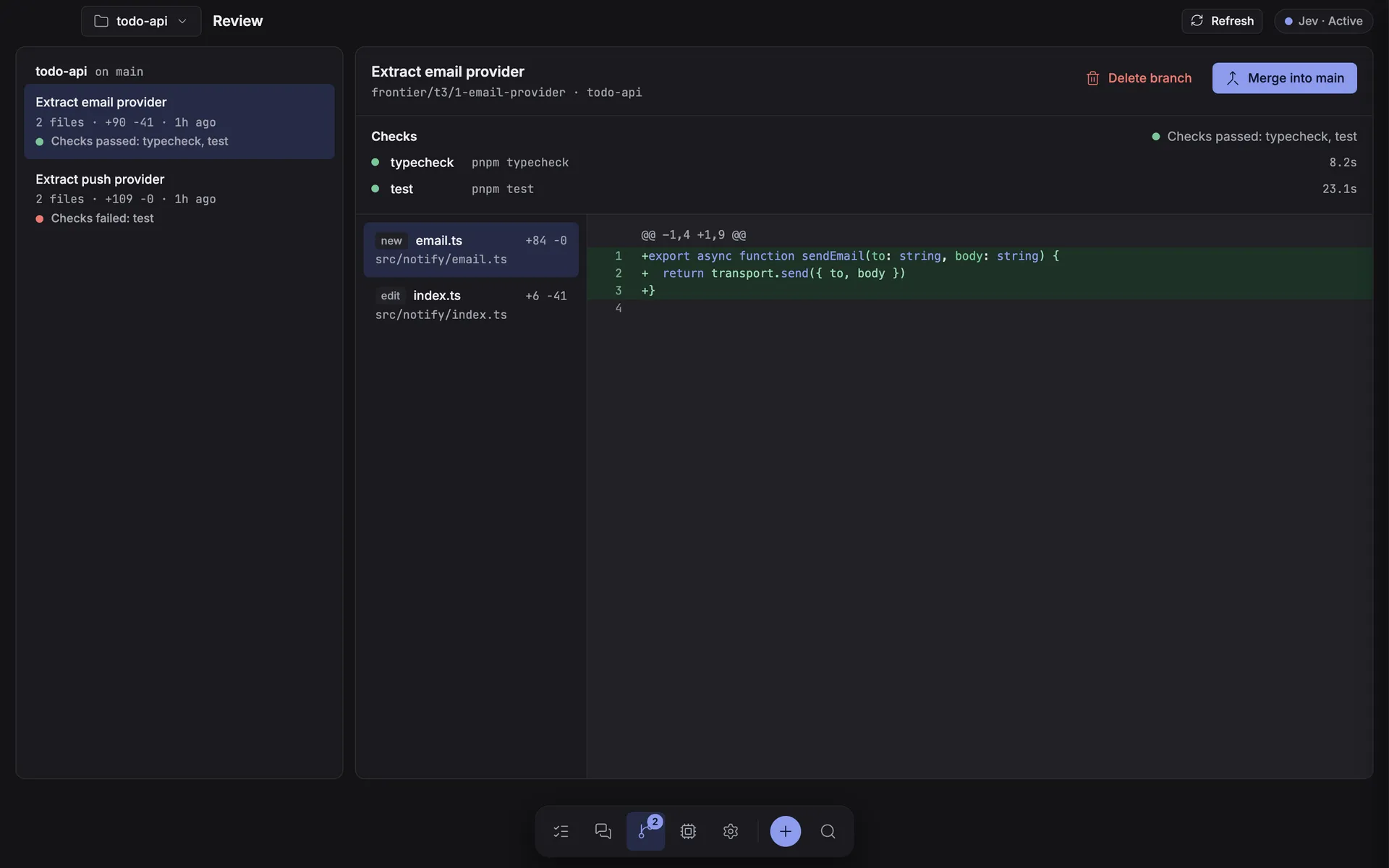
The Review inbox
Delegated runs, benched runs, and workspace participants that write files
all leave frontier/* branches behind. The Review screen lists
them per repository with each branch's commit subject, distance from HEAD, and per-file +/- counts
measured from the merge base — then offers a diff view, Merge, and Delete.
Safety rules
| Rule | Why |
|---|---|
Only branches named frontier/* can be diffed, merged, or deleted |
The Review screen can never touch your own branches. |
| Merging is refused while the checkout is dirty | Your uncommitted work is never mixed into an agent's merge. |
| A conflicting merge is aborted and reported | Never left half-applied for you to untangle. |
| Merge and delete both require an explicit confirmation | No destructive action happens on a single click. |
Model overrides during orchestration
A model picked in the composer's Options is applied to every run in the task — but only on the agent that owns that model id. Subtasks and bench lanes that land on a different agent run that agent's own model instead, and say so in the transcript.